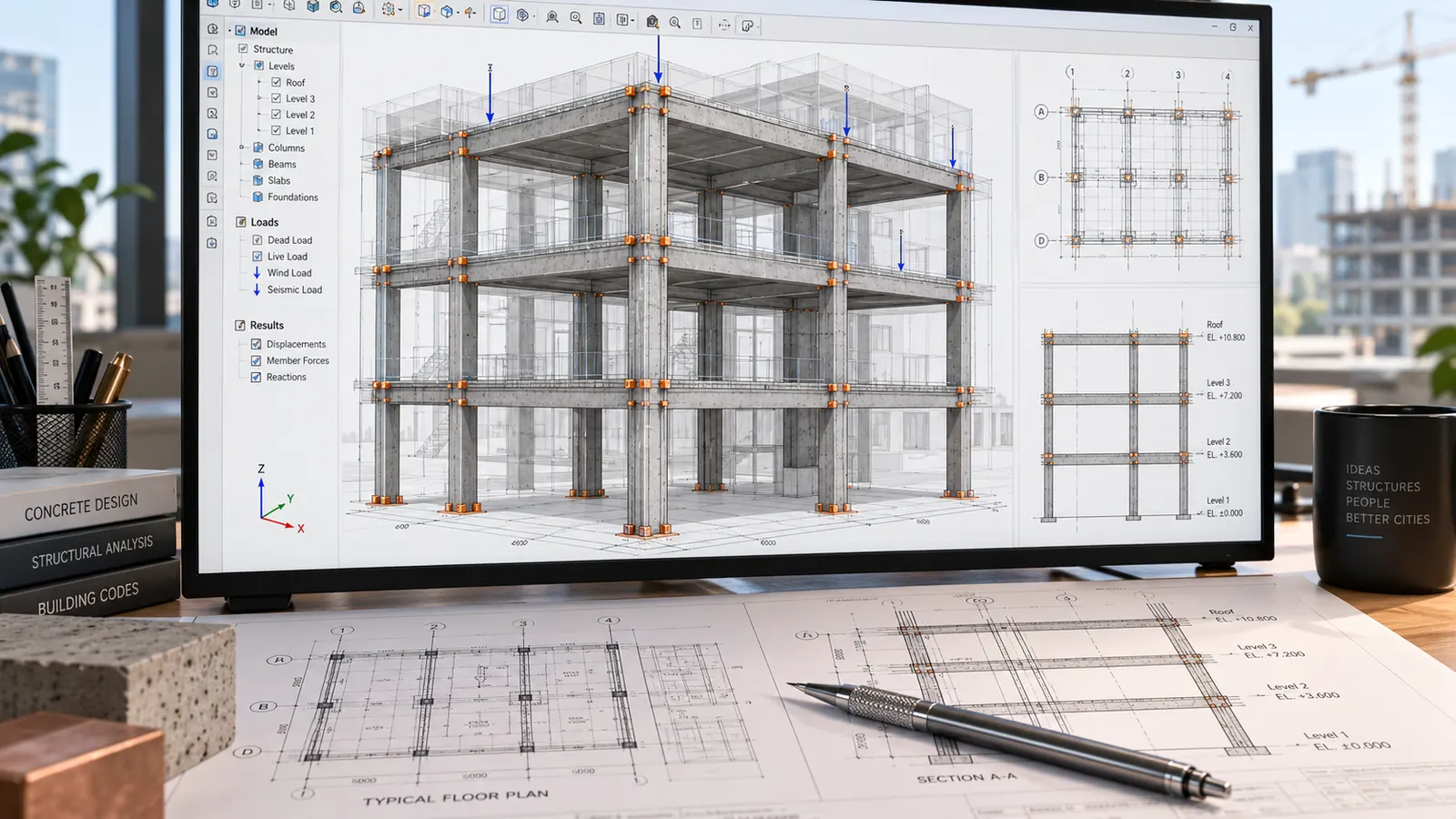
You ask an assistant whether an existing floor slab can take laboratories. It answers in three lines, with a strengthening technique, a capacity gain and a rate per square metre. The answer is fluent and full of figures. It is not a calculation. Using AI on a structural design calculation therefore takes a method: the tool extracts the assumptions, runs explicit formulas and compares a calculation against the project documents. The engineer fixes the model, calculates in their own professional software, and signs.
The workshop · a worked case
Re-run the calculation. Check the units.
Elastic model: simply supported beam, total uniform load, constant second moment of area. The diagram above shows the starting case. Change the inputs to recalculate the three results below.
Equilibrium: 2 × 30.00 = 10.00 × 6.00 = 60.00 kN.
Formulas and conversions used
R = qL/2; Mmax = qL²/8; fmax = 5qL⁴/(384EI). For the deflection: q is converted to N/m, E to Pa, I to m⁴; the output is converted to mm.
Teaching demonstrator · q includes the whole of the load provided; no self-weight is added. No load combinations, resistance, stability or section checks. The results do not constitute a design.
01 · Tell a suggestion apart from a calculated result
A conversational assistant generates an answer from the context available. A calculation worked out directly in the conversation can be wrong, including by an order of magnitude. For any result that goes into a deliverable, require a verifiable run in a script, a spreadsheet or professional software, then check the model, every input and every unit.
Chapter 9 of the book works the case through on a fictional example. The tool states that strengthening with carbon laminates raises a floor’s capacity “by about 60%”, at a cost of “€120 to €150/m²”. Before a value like that enters a document, the book proposes a five-question test:
- Can I name the file, the model and the inputs? If not, it is not a calculated result.
- Can I reproduce it by re-running the process? If not, it is not reproducible.
- Can I recalculate it if an assumption changes? If not, it will be wrong at the first revision.
- Can I cite where each input came from? If not, an assumption has been invented.
- Does an independent order-of-magnitude check confirm it? If not, its accuracy is a guess.
Here, all five answers are “no”. The technique is real and worth studying. It enters the comparison of options as a possibility, marked “not demonstrated”. Neither the percentage nor the rate is carried forward until a calculation and a cost estimate have established them.
02 · Confirm the assumptions before calculating
A design calculation is first of all a list of assumptions: geometry, materials, actions, support conditions. That is where the tool earns its place. It pulls those assumptions out of several documents (survey, brief, equipment data sheets) and spots values that contradict each other from one document to the next.
Start by framing the engineering question. “Calculate the floor” is not enough. The book proposes a wording that fixes the object, the stage and the precision: check whether the floor, strengthened or not, satisfies the limit states for the loads of a teaching laboratory, to concept design precision.
Then ask for a register in columns: assumption, value, unit, source and page, status (established, assumption to confirm, unknown). Forbid the tool from inventing a load, a material property or a coefficient. Require it to flag any ambiguous unit.
That last instruction is the most useful. In the book’s example, the survey gives an area load (daN/m²) and the bench data sheet a line load (kg/m). An early register had turned the bench into “250 kg/m²”. That is not a typing slip: a line load had become an area load. Units are checked at this stage, not at the final read-through.
To confirm the register:
- open each document at the page cited and compare value and unit, for every line;
- check the coverage, family of assumptions by family of assumptions;
- have the register approved by the engineer who will do the calculation, then save it with a revision and a date.
The calculation must also cite the exact reference: part of the standard, edition, national annex, contractual status. The book points out that the generation of design codes that applies depends on the project’s reference date.
03 · Run the calculation, then check the code
The tool writes a script for an explicit formula in seconds. Plate 18 of the book gives a fictional teaching example: a simply supported beam, with an elastic model and a given total load.
Write and run a script for a simply supported beam: L = 6 m, q = 10 kN/m, E = 210 GPa, I = 8 × 10⁻⁵ m⁴. q is the total load provided, with no self-weight added. Use R = qL/2, M(x) = qx(L-x)/2 and fmax = 5qL⁴/(384EI). Plot M, show the units and assumptions, then check equilibrium. Do not conclude on design adequacy or on compliance.
What you have to check: the model, the loads and the units. An illustrative elastic result, with no load combinations, resistance, stability or code compliance check.
On this fictional case, the book shows 30 kN per support, a maximum moment of 45.0 kN·m and a deflection of 10.0 mm, with the equilibrium check 30 + 30 = 10 × 6. The value can be recalculated, and every input is named.
A script does not become a working tool for all that. Chapter 9 lists seven checks:
- compare the formula against the approved source;
- test the units;
- try the limit cases: zero values, extremes, changes of sign;
- compare against a known reference calculation;
- record the versions of the code and of its dependencies;
- write automated tests;
- have the critical parts reviewed by someone else.
Plates 22 and 35 apply the same logic. Plate 22 produces a self-contained HTML calculator with sliders. Plate 35 builds a spreadsheet with separate inputs, units, visible formulas and checks (R1 + R2 = qL). Both state what they do not verify: resistance, stability, reinforcement, load combinations, the adequacy of a section.
Preliminary sizing is not design. At concept stage, preliminary sizing guides a choice. Any value carried into a deliverable is recalculated or verified, with the method, the assumptions and the references of that deliverable.
04 · Check the evidence in a calculation you receive
In a design review, the question changes: you are not redoing the contractor’s calculation, you are checking their evidence (chapter 14). Load the calculation and your approved register of assumptions. Ask the tool to extract the software and version, the model, the assumptions, the materials, the loads, the standards cited with their edition, and the critical results. Each item gets a status: consistent with the source, discrepancy, information missing, to be checked in the software. Forbid it from replacing a calculation with a result of its own.
In the book’s example, the extraction brings out the same kg/m² against kg/m confusion, this time in the contractor’s calculation. It also picks up a cover depth that ignores a caveat in the survey, and a standard cited without its part or national annex. The utilisation ratio stated is neither right nor wrong: it depends on assumptions that are in dispute, and the engineer checks it in the software once those have been corrected.
Three statuses stay distinct: compliant (with evidence), non-compliant (discrepancy demonstrated), unverifiable (document or data missing). Silence never amounts to compliance. The full review method is set out in the article on the design review.
05 · Keep control of the technical choices
The tool prepares: it extracts, structures, runs a given formula, compares. The engineer fixes the model and the assumptions, performs the justified calculations in their professional software, judges the discrepancies and signs the calculation. The tool carries no insurance, no signature and no professional liability.
Before loading a survey or a calculation into an assistant, check the account (chapter 3): a professional account approved by your organisation, with the model-training clause verified. On an unapproved account, no project document is uploaded, anonymised or not. Anonymising matters mainly for copies that leave the job.
The same discipline applies to quantities and rates: see AI, take-off and estimating. The book’s prompts are presented in the article on engineering prompts.
Author of “AI for Architecture and Engineering”.
One approach: document the inputs, produce, check, decide.