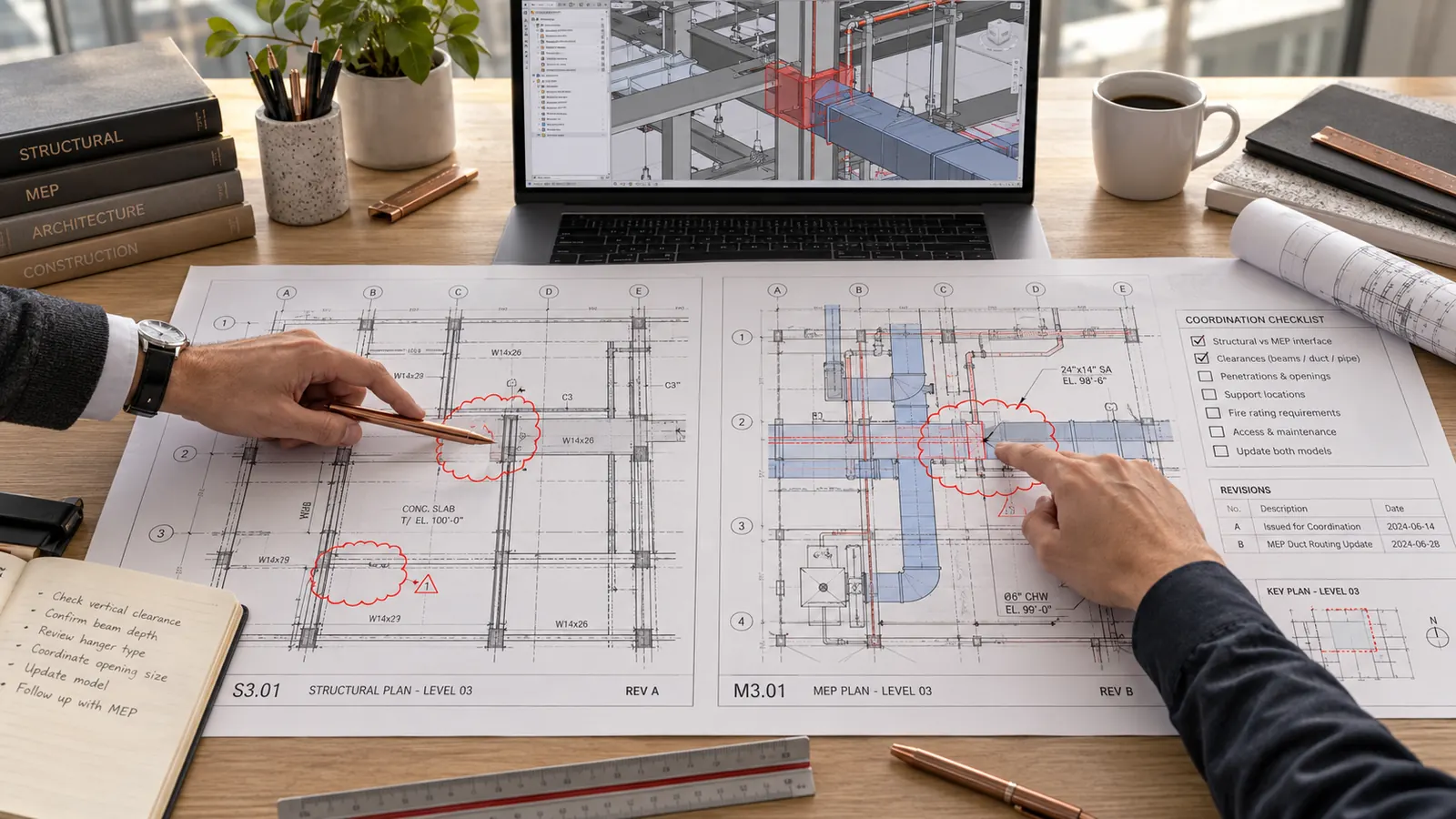
A contractor submits its construction documents for strengthening a floor slab: a drawing at revision B, a design calculation, three product data sheets and its responses to the comments raised on revision A. Between the two submissions, an opening has moved and a product reference has changed. The site manager wants to start in two days. This article shows how to use AI for the design review, following the method in chapter 14 of the book. The example, a secondary school refurbishment, is fictional.
The workshop · a worked case
A comment has to show the discrepancy.
| Reference | Factual observation | Review status |
|---|---|---|
| R-07 · interface | The bare 400 × 250 mm duct exceeds the 300 × 200 mm opening. | DISCREPANCY TO COORDINATE |
| R-08 · penetration | Insulation, installation tolerance and level are not documented. | UNVERIFIABLE |
| R-09 · product document | The data sheet listed on the transmittal has not been received. | DOCUMENT OUTSTANDING |
To request: mechanical/structural coordination and complete documents. Enlarging an opening calls for a structural assessment; the diagram does not propose that change.
Fictional teaching example · Adapt it to the data and the scope of your own commission.
Who does what is settled from the outset. The tool can check that the submission is complete, prepare the list of checks, compare two revisions, extract the content of a design calculation and match the contractor’s responses against the changes actually made. You set the scope, judge the discrepancies, close the comments and sign.
01 · Fix the real scope of the review
In France, where the book was written, consultancy commissions for public clients are governed by an order that describes the purpose of the conformity examination and of the review: satisfying yourself that the contractor’s construction documents comply with the designer’s project (order of 22 March 2019). Elsewhere the equivalent duty sits in your appointment. Either way, the exact content of the check then depends on your contract.
Without that information, the tool raises points outside your commission. Or it leaves the impression that a document check amounts to approving a calculation that belongs to someone else. Before any request, answer six questions in writing, from the contract and the contract documents:
- which document is submitted, and at which revision;
- who produced it;
- which part of your appointment requires you to check it;
- which project documents serve as the reference;
- what falls outside your scope;
- who may close a comment.
So do not ask “Find the errors in this drawing”. Tell the tool first what you are checking, and against which document. It is the same logic as for any engineering prompt in construction: a precise request, named documents, a verifiable output.
02 · Check that the submission can be reviewed at all
The first saving is not starting a detailed review on a submission that cannot be reviewed. In the job’s project, open a conversation dedicated to this review. Load the transmittal, the files received, the list of documents expected for the package and the previous revision. Do it on a professional account approved by your organisation for project documents (chapter 3, rule 1). On an unapproved account, upload nothing, anonymised or not. Here is the book’s request:
Here are the transmittal, the files received, the list of documents expected for this package and the previous revision. Determine whether the submission can enter review: identification (title, package, author, date, revision), completeness, agreement with the transmittal, legibility, references invoked, history, documents it depends on.
Conclusion: ADMISSIBLE / ADMISSIBLE WITH OMISSIONS / NOT ADMISSIBLE FOR REVIEW. Draw no conclusion on technical compliance at this stage.
What you have to check: every omission flagged, against the list of files received, because a document said to be missing may simply be misnamed or unreadable by the tool. Compare the transmittal against that list too, to catch a file the tool did not mention.
In the example, the data sheet for the bonding resin appears on the transmittal but not among the files. That is a missing document, not a non-conformity. You request it from the contractor and start the review on the rest.
03 · Write your check matrix
The check matrix is the list of questions to put to the document. It turns the project requirements into verifiable criteria: identifier, question, exact source, evidence expected, the discipline that approves. The tool prepares it from the scope of appointment, the design documents, the package specification, the approved decisions and the open comments. Any criterion with no source is marked OUTSIDE THE MATRIX.
Check it in both directions. For every line, open the source cited and confirm it says what the question assumes. Then work back from the specification clauses and the open comments: each must have its line. A requirement missed in the matrix will be checked by nobody. If the specification is itself still being written, see writing a specification with AI.
Without a matrix, the list of anomalies the tool produces becomes your reference. You are then checking whatever the tool chose to raise.
Limit the documents you load, too: the document submitted at its revision, the previous revision, the references, the decisions and the open comments. Never two revisions of the same document in the “submitted” folder. Your internal analyses stay in an “analysis” folder and do not go to the contractor as they are.
04 · Examine the calculation and the assumptions it cites
The tool extracts from the calculation the software and its version, the model, the assumptions, the materials, the loads, the standards cited with their edition and the critical results. It compares those against the approved register of assumptions and classifies each one: consistent with the source, discrepancy, information missing, or to be checked in the software. It produces no substitute calculation result.
In the book’s fictional example, the extraction brings out:
- a bench load in kg/m² in the calculation, and in kg per linear metre in the register: a unit discrepancy;
- a cover depth that ignores the caveat in the survey: a discrepancy;
- “Eurocode 2” cited with no part and no national annex: information missing;
- a utilisation ratio of 0.92: to be checked in the software, once the assumptions have been corrected.
Every discrepancy is confirmed by opening the calculation and the register at the pages cited. Check too that the extraction covers the whole calculation, contents page in hand. The method for checking a calculation is set out in AI and structural design calculations.
05 · Assign a status and close on evidence
The chapter distinguishes three situations:
- COMPLIANT: the criterion is verified, with evidence;
- NON-COMPLIANT: a discrepancy between the document and the project is demonstrated;
- UNVERIFIABLE: the check could not be made (document missing, illegible, data absent).
Writing “non-compliant” for a point that was never checked accuses the contractor unfairly. Writing nothing suggests compliance. So every line of the matrix gets a status.
Every comment is tracked in a register: identifier, criterion, location, factual description, evidence, owner, status, closing decision. Criticality follows a scale set by the team, not by the tool: C1 blocking, C2 major, C3 significant, C4 minor, INFO. When the consequence of a discrepancy is not demonstrated, the tool marks the point “to be decided”.
A response does not prove a correction. In the example, the contractor answers twelve comments. The tool proposes: seven visible changes to re-check, three responses with no change identified on the drawing, two disputes to be decided. Its instructions forbid it from setting a comment to “closed”. Check the total first (7 + 3 + 2 = 12), then open revision B at each location. “No change identified” does not prove there is none.
06 · Keep the decision and the signature
- Set the scope of the check.
- Judge every discrepancy and set its criticality.
- Close a comment, on evidence, through the person authorised to do so.
- Sign the review.
In the example, the answer to the site manager is written down: review withheld on two points classified C2, the load unit and the cover depth, and the resin data sheet to be provided. It is not the tool that withholds the review, it is the engineer, with evidence. In your records, write the real chain: prepared by the tool, checked by this person, approved by that one. Never “the AI approved it”.
Author of “AI for Architecture and Engineering”.
One approach: document the inputs, produce, check, decide.